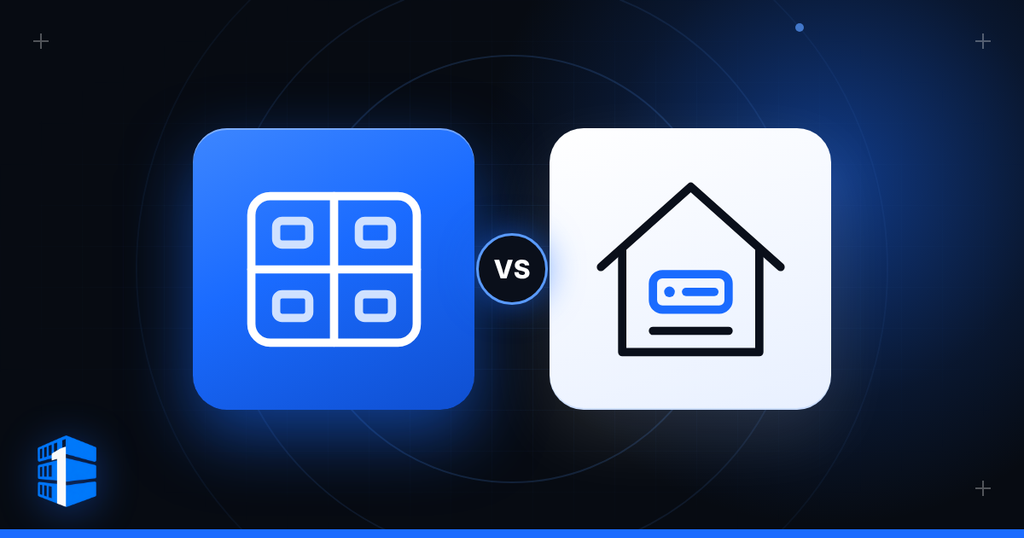
Core takeaway
- Choose a home server for: physical control of the hardware, local-network speed, hands-on experimentation, local storage and media services, when the project does not need data-centre-style uptime.
- Choose a VPS for: a remote machine that is online without living in your home, reachable from anywhere and easier to deploy, such as public websites, applications and automation.
- Use both when it fits: a home server for storage or experimentation, with a VPS for public-facing services, off-site backups, monitoring or a stable remote endpoint.
- The question: not which is more impressive, but where the work belongs.
Disclosure: con1ainer.com participates in affiliate programs. This article contains no affiliate links. See the Affiliate & Commercial Disclosure.
A server at home starts as a machine. Before long, it becomes part of the house.
It needs a place to live, electricity every hour of the day, cooling, an internet connection, router configuration, software updates, backups, and a plan for what happens when something fails while you are asleep, travelling, or simply not interested in spending Saturday evening troubleshooting a network problem.
A VPS solves a different problem.
The machine lives in a data centre. It stays online without occupying a shelf in your home, and you reach it remotely through an internet connection. You trade physical possession for a professionally hosted environment, faster deployment, and less household responsibility.
Neither choice is automatically better. A home server gives you physical control, local access, and hardware freedom. A VPS gives you a remote environment, simpler availability, and a cleaner separation between your home life and the systems you run.
The right answer depends on the workload, the importance of uptime, your internet connection, your budget, and how much maintenance you are genuinely prepared to take on.
Short on time? The same question in sixteen seconds.
The Short Answer
Choose a home server when you want physical control of the hardware, local-network speed, hands-on experimentation, local storage, media services, or a project that does not need data-centre-style uptime.
Choose a VPS when you want a remote machine that is online without living in your home, accessible from anywhere, easier to deploy, and better suited to public websites, applications, development environments, automation, remote services, and workloads that need reliable external access.
Use both when the workload benefits from local hardware and a remote service: for example, a home server for storage or experimentation, with a VPS for public-facing services, off-site backups, monitoring, or a stable remote endpoint.
The question is not whether a home server or VPS is more impressive. The question is where the work belongs.
What a Home Server Gives You
A home server is a physical machine you own and operate where you live or work.
It might be an old desktop, a mini PC, a NAS, a purpose-built server, or a rack-mounted machine. You choose the hardware, the operating system, the storage layout, the network configuration, and the services it runs.
That physical control has real advantages.
You own the hardware
There is no monthly infrastructure lease for the machine itself after the upfront purchase. You decide when to upgrade the RAM, replace a drive, add storage, change the operating system, or rebuild the whole thing.
You are not limited to a provider’s standard VPS sizes or storage choices.
You have local-network speed
A home server can communicate with devices on your local network at very high speed.
That is useful for:
- Media libraries
- Local file storage
- Home backups
- Network-attached storage
- Security-camera storage
- Local development
- Smart-home systems
- Home-lab experimentation
- Local AI and automation work
- Private services used mostly inside the house or office
If the users and the data are primarily local, keeping the machine local can make good sense.
You can experiment freely
A home server is an excellent learning environment. You can break things, rebuild them, test software, run virtual machines, experiment with containers, configure services, and learn how systems behave without paying a monthly provider bill for every hour of experimentation.
You also have physical access to the machine. If a drive fails, you can replace it. If you want to attach external storage, add a network card, install a GPU, or change the cooling, you can.
You control physical access
A server in your home is not sitting in somebody else’s data centre. You decide who has physical access to it.
That can be important for local services and personal data—but physical control does not automatically equal better security. A machine can be physically nearby and still be exposed through poor passwords, open ports, weak router settings, outdated software, or a badly configured remote-access setup.
What a VPS Gives You
A VPS is a virtual server hosted on a larger physical machine in a data centre.
It gives you a remote operating environment with allocated CPU, RAM, storage, bandwidth, an operating system, and usually root access. You manage it over the network rather than by plugging a monitor into a box in your home.
A VPS is useful because it removes several parts of the home-server burden.
It is already off-site
The machine is not affected by your local power outage, your home internet connection, a failed household router, an accidental unplugging, a flood in the basement, or somebody deciding that the server shelf needs to be moved.
That does not make a VPS indestructible. It means the infrastructure is located somewhere built to operate servers rather than somewhere built to make coffee, sleep, and do laundry.
It is accessible from anywhere
A VPS is designed to be reached remotely.
You can connect through SSH, a web control panel, a VPN, a remote development tool, or the application you are running. You do not need to configure your home router for every new service or explain to your internet provider why you are exposing services from a residential line.
That makes VPS hosting a strong fit for:
- Public websites
- Web applications
- APIs
- Remote development environments
- Docker containers
- Automation tools
- Monitoring systems
- Small databases
- Remote Linux servers
- Staging environments
- Self-hosted tools
- Services that need a stable public address
It separates the workload from your home
A VPS creates distance between the systems you run and your personal living space.
Your laptop can be off. Your home connection can be restarted. You can move apartments. Your server can remain online.
For people who want a technical environment without turning their home network into part of the production stack, that separation has value.
It is fast to deploy
A VPS can often be provisioned much faster than buying, assembling, configuring, and networking physical hardware.
You choose a plan, select an operating system, receive access, and begin building. If your needs change, it is often possible to resize, migrate, rebuild, or add another VPS without taking a screwdriver to anything.
For a closer look at the role of VPS infrastructure, read Shared Hosting vs VPS vs Dedicated Hosting: What Should You Choose?
VPS vs Home Server at a Glance
| Category | Home Server | VPS |
|---|---|---|
| Hardware ownership | You own and maintain it | Provider owns and maintains physical hardware |
| Upfront cost | Usually higher | Usually low or none |
| Monthly cost | Electricity, internet, replacement parts, backup storage | Monthly service fee |
| Physical access | In your home or office | In a data centre |
| Internet connection | Depends on residential or office connection | Data-centre connectivity |
| Public access | Requires router, firewall, and port configuration | Designed for remote access |
| Power outages | Your responsibility | Provider infrastructure handles it |
| Hardware upgrades | You choose and perform them | Limited to available VPS plans |
| Local-network performance | Excellent | Limited by internet connection |
| Privacy and control | Full local physical control | Remote control under provider terms |
| Best for | Local services, storage, learning, home lab | Public services, remote workloads, applications, development |
Cost: Upfront Hardware vs Monthly Infrastructure
The cost comparison is not as simple as “buy once” versus “pay monthly.”
| A home server has an upfront cost | A VPS has a recurring cost |
|---|---|
| The machine itself RAM, storage, drives, network equipment, and possibly a UPS Replacement parts Backup storage Electricity Cooling Possibly a better router, switch, or internet plan | Monthly server rental Optional managed support Backup or snapshot costs Additional storage, bandwidth, or IP charges where applicable |
The useful calculation is not only the price of the machine. It is the cost of keeping the service dependable.
Home-server power cost
A server that runs all day and all night consumes electricity whether it is busy or idle.
The exact cost depends on the hardware, drives, workload, local electricity rate, and whether the machine is efficiently configured. Energy Star notes that server power use is measured in watts and that hardware and operating systems often include power-management features worth enabling.
The basic calculation is:
Monthly electricity cost = (watts × 24 × 30 ÷ 1000) × electricity rate per kWh
For example, a machine averaging 50 watts consumes:
50 W × 24 hours × 30 days ÷ 1000 = 36 kWh per month
At an electricity rate of US$0.20 per kWh, that is approximately US$7.20 per month before counting network gear, extra drives, or cooling.
The point is not that every home server costs the same. The point is that “I already own the machine” is not the whole calculation.
VPS cost
A VPS makes the monthly cost easy to see. You know what the infrastructure costs each month, and you can change the plan when the workload grows or shrinks.
The trade-off is that you do not own the machine, and you are working within the resources and policies of the provider.
For a public service or remote workload, that trade-off is often worth it.
Uptime: The Part Nobody Notices Until It Fails
A home server can be reliable. Plenty of people run them successfully for years.
But home infrastructure has more points of failure:
- Residential internet outages
- Power outages
- Router failures
- ISP equipment problems
- Dynamic IP addresses
- Accidental reboots
- Hardware overheating
- A tripped breaker
- A failed drive
- A household move
- Someone unplugging the wrong cable
- A server that needs attention while you are away
A VPS has its own risks—provider incidents, maintenance windows, configuration mistakes, and service outages—but the physical environment is built for servers. The provider handles the data centre, power systems, network backbone, and hardware replacement.
That is why public websites, APIs, remote applications, and business services often belong on VPS infrastructure rather than a spare machine under a desk.
If the service is important to people outside your house, plan for the reality that your house is not a data centre.
Internet and Remote Access
A home server can be accessed remotely, but you need to make that access work safely.
That may involve:
- A public IP address or dynamic DNS
- Port forwarding
- Firewall rules
- Router configuration
- VPN access
- DNS configuration
- TLS certificates
- Secure authentication
- Monitoring
- Keeping network hardware updated
None of this is impossible. It simply becomes part of the job.
CISA recommends keeping router firmware current, disabling unnecessary remote administration, and securing home networks with strong authentication and modern Wi-Fi encryption.
A VPS usually begins with the remote-access piece already in place. You receive an IP address, configure SSH keys, set firewall rules, and connect.
That does not remove the need for security. It removes the need to make your home router and residential connection act like public infrastructure.
Privacy, Security, and Physical Control
A home server and a VPS offer different kinds of control.
Home-server privacy
A home server keeps the physical machine under your roof. You can decide who touches it, where the drives sit, and when they are replaced or destroyed.
But operating from home can also expose information:
- Your residential IP address may be associated with the service.
- Public-facing ports point toward your home connection.
- A poorly secured router can become part of the attack surface.
- A home network may contain personal devices alongside the server.
- Physical theft, fire, flood, or accidental damage can affect the machine.
A home server can be private, but it requires thoughtful network separation and security practice.
VPS privacy
A VPS puts the workload in a remote hosting environment. That can separate public services from your home IP and keep the hardware outside your residence.
The provider still operates the physical infrastructure, and its policies, billing system, and applicable legal obligations remain part of the arrangement. A VPS is a remote server environment—not a magic cloak.
The right approach is to understand what you control, what the provider controls, and what information is created through normal operation.
For either option:
- Use strong authentication.
- Prefer SSH keys over password-only access.
- Keep systems patched.
- Use a firewall.
- Remove services you do not need.
- Separate administrative access from public services.
- Keep backups.
- Test recovery before an emergency makes it urgent.
Performance and Hardware Flexibility
A home server gives you direct control over the hardware.
You can choose:
- CPU model
- RAM capacity
- Storage drives
- RAID arrangement
- GPU
- Network card
- Cooling
- Power supply
- Case size
- Operating system
- Hypervisor
- Local network integration
That is useful when the workload needs specialized hardware or large local storage.
A VPS gives you a defined virtual environment. You choose from the provider’s CPU, RAM, storage, and bandwidth options. You cannot usually add a GPU, swap a physical drive, or change the NIC.
The VPS advantage is flexibility at the service level: you can often resize, add a second server, rebuild an image, or migrate to another plan without buying equipment.
A home server is more physically flexible. A VPS is often more operationally flexible.
Backups and Failure Recovery
A server is not a backup. A RAID array is not a backup. A snapshot is helpful, but it is not a complete recovery strategy by itself.
Whether you run at home or in a VPS, the question is the same:
If the machine disappears, is the important data recoverable?
CISA’s 3-2-1 guidance is a useful baseline:
- Keep three copies of important data.
- Store those copies on two different types of media.
- Keep one copy off-site.
For a home server, off-site backup is essential because a fire, theft, flood, or power event can affect the machine and its local backup at the same time.
For a VPS, do not assume the provider’s infrastructure backup is enough. Understand whether backups are included, whether you can restore them yourself, how long they are retained, and whether you have an independent copy elsewhere.
The real test is not whether a backup exists in a dashboard. The test is whether you can restore a working service from it.
Who Should Choose a Home Server?
A home server is a strong choice if your work is primarily local, hands-on, and not dependent on public uptime.
Choose a home server if you are:
- Building a home lab
- Learning Linux, networking, virtualization, or containers
- Running local backups
- Hosting media libraries
- Using a NAS
- Managing home automation
- Storing local files
- Running services mainly for people inside your home or office
- Testing software and configurations
- Working with hardware that does not fit standard VPS plans
- Building a local AI or GPU environment
- Comfortable maintaining the machine and network
A home server is especially useful when the value comes from having the hardware close by.
Who Should Choose a VPS?
A VPS is a strong choice if the work needs to live outside your house.
Choose a VPS if you are:
- Hosting a public website
- Running an application or API
- Building a remote development environment
- Running Docker containers
- Hosting a database
- Operating automation tools
- Managing services that need stable remote access
- Keeping a server separate from your home network
- Avoiding home-router and port-forwarding complexity
- Looking for a machine that remains online when your personal computer is off
- Running infrastructure that must be available while you travel
- Building something that may later grow into a larger VPS or dedicated environment
If the work needs a remote, always-available environment, a VPS is often the practical answer.
For the next decision after VPS, read VPS vs Dedicated Server: Which One Is Right for Your Workload?
When Using Both Makes Sense
You do not always have to choose one.
A hybrid approach can work well:
- Home server for local storage, media, backup, testing, and private services.
- VPS for public websites, remote access, monitoring, automation, or a stable internet-facing endpoint.
- VPS as an off-site backup destination for the home server.
- Home server as a local backup or development environment for services running on a VPS.
- Home lab for testing changes before deploying them to the remote server.
Using both can give you local control where it matters and remote reliability where it matters.
The key is keeping the responsibilities clear. Do not build a system so tangled that nobody knows which machine is the source of truth or how to recover it.
Frequently Asked Questions
Is a VPS cheaper than a home server?
It depends on the hardware, power use, internet plan, storage needs, and how long you expect to operate the system. A home server has an upfront hardware cost and ongoing electricity use. A VPS has a predictable monthly service cost. For a small public workload, a VPS can often be the simpler and more economical option. For large local storage or equipment you already own, a home server may make more sense.
Can I host a website from home?
Yes. You can host a website from home if your internet connection, router, firewall, DNS, security configuration, and provider’s terms allow it. The larger question is whether you want public website uptime to depend on your household power and internet connection.
Is a home server more private than a VPS?
A home server gives you physical custody of the machine. A VPS keeps your workload away from your home network and residential IP address. Neither is automatically more private in every respect. Security depends on how the server, network, access controls, backups, and provider relationship are managed.
Is a VPS better for remote development?
Usually, yes. A VPS gives you a persistent remote environment that can be reached from different devices and locations. It does not depend on leaving a home machine running or exposing your home network to the internet.
Can I use a VPS for backups?
Yes. A VPS can be used as part of an off-site backup strategy, provided the backup system is secured, encrypted where appropriate, monitored, and tested. Do not make the VPS the only backup location.
Can I use a home server and VPS together?
Yes. Many people use a home server for local storage, learning, media, and private services while using a VPS for public-facing applications, remote access, off-site backups, and internet-facing workloads.
Put the Workload Where It Belongs
A home server is for work that benefits from local hardware, local storage, physical control, and hands-on experimentation.
A VPS is for work that benefits from remote access, consistent external availability, data-centre infrastructure, and a clean separation from your household network.
Both can be useful. Both can be secure. Both can fail if they are poorly maintained.
The sensible choice is not ideological.
Keep local work local. Put public and remote work where it can stay available.