
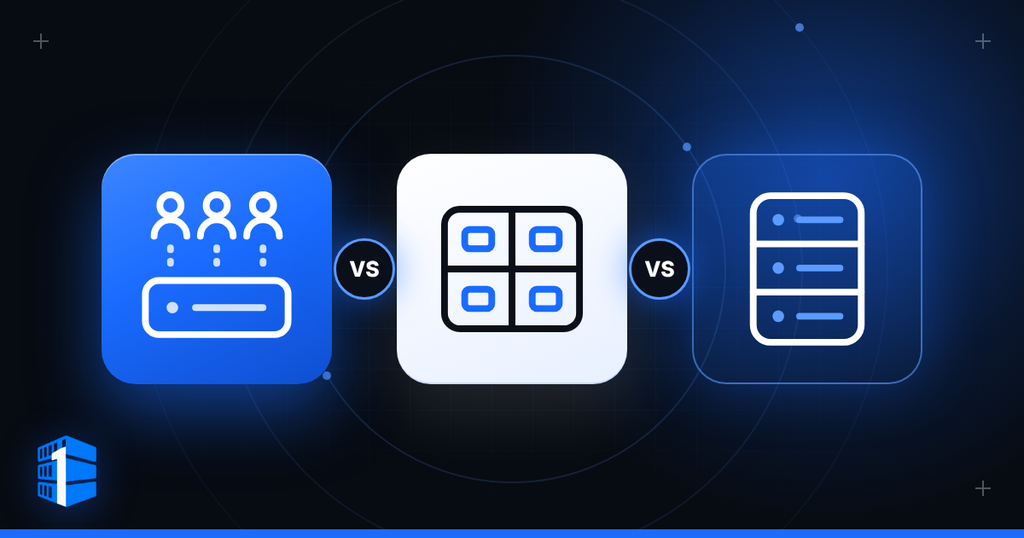
Core takeaway
- Three levels, three trade-offs: shared hosting is low control and low responsibility, a VPS is more of both, and dedicated hosting is full control and full responsibility.
- Match the hosting to the work: a five-page local-business site and a busy web application do not belong on the same kind of hosting.
- Pricing pages push upward: every tier is designed to look like the responsible choice, but more CPU and memory only matter if the work needs it.
- Cost rule: do not pay for an empty machine.
Disclosure: con1ainer.com participates in affiliate programs. This article contains no affiliate links. See the Affiliate & Commercial Disclosure.
Every hosting company has a pricing page designed to make the next tier look like the responsible choice.
More storage. More CPU. More memory. More “power.”
That is useful only if the work you are doing needs it.
A five-page local-business site and a busy web application do not belong on the same kind of hosting. A developer running containers, databases, and automated jobs needs a different environment from someone publishing a portfolio. And a dedicated server can be either the right tool or a very expensive way to host a quiet website.
Shared hosting, VPS hosting, and dedicated servers are three different operating arrangements. They differ in how much control you receive, how resources are allocated, what you are responsible for, and how far the environment can be pushed before it stops fitting the work.
This guide walks through the three levels plainly, then helps you identify where your own project belongs.
At a Glance
| If you are running… | Best starting point |
|---|---|
| A portfolio, brochure site, small blog, or basic WordPress site | Shared hosting |
| An application, database, custom stack, multiple sites, Docker containers, automation, or remote development environment | VPS hosting |
| A sustained high-resource workload, large database, heavy storage activity, or infrastructure requiring a full physical machine | Dedicated hosting |
The goal is not to move upward through hosting tiers for the sake of it. It is to use enough infrastructure for the work in front of you—and no less.
What Is Shared Hosting?
Shared hosting is the most basic form of web hosting.
Many customer websites live on the same server and use the same underlying operating environment. The hosting provider handles the operating system, web server, updates, account structure, and most of the technical plumbing. The customer usually gets a control panel for domains, email, databases, files, backups, and application installers.
It is designed for people who want to put a website online without managing a server.
Shared hosting is usually suitable for:
- Personal websites
- Portfolios
- Small business sites
- Brochure sites
- Low-traffic blogs
- Basic WordPress sites
- Landing pages
- Early-stage sites with modest requirements
Shared hosting is inexpensive because many customers share the same infrastructure and the provider standardizes the environment.
That convenience comes with limits.
You generally cannot install arbitrary server software, control the operating system, change low-level configuration, run long-lived processes, build a custom networking environment, or allocate resources exactly as you choose. Your site also exists in a more crowded environment, where the provider has to balance the needs of many accounts.
Shared hosting is not bad hosting. It is simply a specific tool for a specific job.
If all you need is a modest website with a contact form, a few pages, a blog, and ordinary email, shared hosting may be enough. If you need control over the machine itself, it is time to look beyond it.
What Is a VPS?
A Virtual Private Server, or VPS, is a virtual machine running on a larger physical server.
Instead of sharing one generic hosting environment with many websites, you receive an isolated server environment with its own operating system, allocated CPU, RAM, storage, network configuration, and usually root access.
The physical hardware is still shared at the host level, but virtualization divides it into separate server environments. A hypervisor controls access to hardware resources such as CPU, memory, storage, and networking while keeping virtual machines logically isolated from one another.
A VPS gives you more freedom than shared hosting:
- Install and configure software
- Choose the operating system
- Use root or administrator access
- Run Docker containers
- Host websites and web applications
- Run databases
- Deploy APIs
- Operate automation tools
- Set up development and staging environments
- Configure firewalls and SSH keys
- Run persistent processes
- Manage custom services
A VPS is often the best middle ground. It provides real control and dedicated resource allocations without requiring you to rent an entire physical machine.
Google Cloud describes VPS environments as isolated virtual servers created from a larger physical host, with each customer allocated a specific portion of resources and more control than basic shared hosting. (source: Google Cloud: virtual hosting)
What Is Dedicated Hosting?
Dedicated hosting means renting an entire physical server for one customer.
The CPU, RAM, storage devices, network interfaces, and machine itself are reserved for your workload. There are no other VPS tenants sharing the physical host.
That level of ownership gives you more control over performance and configuration:
- Full physical CPU capacity
- Full installed memory
- Full local storage configuration
- Greater control over RAID, storage layout, and I/O
- No other virtual customers on the machine
- More predictable access to the server’s hardware
- Ability to support demanding and sustained workloads
- More freedom to use specialized configurations
Dedicated hosting is appropriate when there is a demonstrated reason for it.
Examples include:
- High-traffic applications
- Large databases
- Storage-intensive workloads
- Heavy media processing
- Persistent high CPU use
- Large container deployments
- High-volume automation
- Data processing
- Build systems
- Resource-heavy infrastructure
- Workloads requiring stronger physical isolation
- Applications with custom hardware or network requirements
A dedicated server gives you more machine, but it also usually gives you more responsibility. Unless the server is fully managed, someone still has to secure it, update it, monitor it, back it up, recover it, and understand what is running on it.
Shared Hosting vs VPS vs Dedicated Hosting
| Category | Shared Hosting | VPS Hosting | Dedicated Hosting |
|---|---|---|---|
| What you receive | A website account in a shared environment | An isolated virtual server | An entire physical server |
| Operating system control | No | Yes | Yes |
| Root access | No | Usually | Usually |
| Custom software | Limited or unavailable | Yes | Yes |
| CPU and RAM | Shared under provider limits | Allocated virtual resources | Full installed hardware |
| Storage | Account-level allocation | Allocated virtual storage | Full storage configuration |
| Isolation | Lowest | Logical isolation through virtualization | Physical single-tenant isolation |
| Setup complexity | Lowest | Moderate | Highest |
| Cost | Lowest | Middle | Highest |
| Best for | Basic websites | Applications, custom stacks, growth, automation | Sustained demanding workloads |
The three options are not competitors in the same lane. They are stages of infrastructure responsibility.
Resource Sharing: What It Actually Means
“Shared” gets used carelessly in hosting.
All hosting uses shared components somewhere. A dedicated server still depends on shared upstream networks, data centres, power systems, and provider infrastructure. The important question is what resources are shared and how much control you have over them.
Shared hosting
On shared hosting, many accounts operate in a common hosting environment. Your hosting provider decides what software is available, how processes are limited, which services are permitted, and how resource use is controlled.
This is efficient for standard websites. It is limiting for custom workloads.
A poorly optimized site elsewhere on the same platform may not directly access your files, but the broader shared environment can still be affected by heavy activity, maintenance, limits, or provider policy.
VPS hosting
A VPS provides stronger separation. The hypervisor partitions the physical host’s CPU, memory, storage, and network resources into virtual machines. Each VPS runs its own operating system and applications, with the hypervisor responsible for mediating access to the underlying hardware.
That means you have a server of your own in practical terms, even though it runs on shared physical hardware.
Your VPS can be rebooted, configured, secured, updated, backed up, and administered separately from other customers’ VPS environments.
Dedicated hosting
With dedicated hosting, the physical server is yours for the duration of the rental. No other customer’s virtual machine is competing for that machine’s CPU, RAM, local storage, or hardware access.
This is useful when physical separation and predictable hardware access are important to the work being done.
Performance: Where Each Option Makes Sense
Performance is not just about how large the plan looks on a pricing page.
A website may be slow because of poor code, oversized images, weak caching, too many plugins, slow database queries, external scripts, or a badly configured application. More hardware does not solve every problem.
The question is whether the hosting environment provides enough resources and control for the workload.
Shared hosting performance
Shared hosting is fine for many light workloads:
- Simple websites
- Modest WordPress sites
- Small portfolios
- Landing pages
- Low-traffic blogs
- Information sites
It becomes less suitable when the site needs consistent resources, custom configuration, server-level control, or room for several services to run at once.
VPS performance
A VPS is appropriate when the site or application needs dedicated allocations and more control.
It can handle:
- Multiple websites
- Active WordPress sites
- Web applications
- Databases
- APIs
- Docker containers
- Background jobs
- Automation systems
- Development environments
- Monitoring services
- Custom software stacks
A VPS is often the point where you stop asking, “Can this hosting account run my site?” and start asking, “How should I configure this server for my workload?”
Dedicated server performance
Dedicated hosting is for work that consistently needs the whole machine.
It becomes attractive when CPU, RAM, storage I/O, network throughput, or isolation requirements are high enough that a VPS is no longer the practical fit.
A dedicated server can be powerful, but it is not automatically necessary. If your website is slow because of bad caching or a bloated application, renting more hardware will not fix the underlying problem.
Control and Responsibility
The more control you receive, the more responsibility you take on.
Shared hosting: low control, low responsibility
The provider handles most of the server work. You manage your website, files, databases, email, and control-panel settings.
That is exactly what many website owners want.
VPS: more control, more responsibility
A VPS can give you root access, custom software, firewall control, SSH access, containers, and a full operating-system environment.
It also means someone has to handle:
- Operating-system updates
- Security hardening
- SSH key management
- Firewall configuration
- Monitoring
- Backup strategy
- Application deployment
- Database maintenance
- Recovery after failure
- Performance troubleshooting
That person may be you, a technical partner, or a managed-service provider.
Dedicated hosting: full control, full responsibility
Dedicated hosting adds the responsibility of managing a complete machine. Depending on the provider and service type, that may include hardware monitoring, storage layout, operating system installation, remote management, hardware replacement procedures, and full-stack maintenance.
The machine is more powerful, but the operational work is not automatically simpler.
Cost: Do Not Pay for an Empty Machine
The cheapest option is not always the best value, but the most expensive option is not automatically the best decision either.
A small website does not need dedicated hardware. A serious application should not be forced to survive in a cheap shared plan simply because it has a low monthly price.
Think in terms of workload, not status.
| If you need… | Start with… |
|---|---|
| A basic website and email | Shared hosting |
| A small website with more control or predictable resources | Entry VPS |
| A custom web application or database | VPS |
| Docker containers, automation, APIs, or a development environment | VPS |
| Multiple active services or sustained database activity | Larger VPS or dedicated server |
| High sustained CPU, RAM, storage, or network use | Dedicated server |
| Hardware-level control or physical isolation | Dedicated server |
The best purchase is the one that gives the work enough room to run properly without paying for capacity that will sit idle.
Who Should Choose Shared Hosting?
Shared hosting is a sensible fit if you want to publish a standard website and do not need to be a server administrator.
Choose shared hosting if you are:
- Launching a simple business website
- Building a portfolio
- Running a personal blog
- Creating a landing page
- Hosting a brochure-style site
- Using a standard WordPress setup
- Working with a limited budget
- Comfortable with the provider’s standard platform and control panel
Shared hosting is not a lesser choice when it matches the workload. It becomes a poor choice only when the workload outgrows it.
Who Should Choose a VPS?
A VPS is for people who need a server environment rather than only a website account.
Choose a VPS if you are:
- Running a website that needs more control than shared hosting offers
- Hosting an application, API, or database
- Managing several sites
- Using Docker or containers
- Running automation tools
- Building a staging or development environment
- Running self-hosted software
- Working with custom software requirements
- Looking for a remote Linux machine
- Moving a project off a home computer
- Needing root access, SSH keys, firewall control, or a custom stack
- Building something that needs room to grow without jumping straight to dedicated hardware
Who Should Choose Dedicated Hosting?
Dedicated hosting is for workloads that have a reason to own the whole physical machine.
Choose dedicated hosting if you are:
- Running a high-traffic application
- Hosting a large or busy database
- Operating storage-heavy services
- Processing video, images, builds, or data at scale
- Running many persistent containers or applications
- Using substantial CPU or RAM continuously
- Managing a workload where resource consistency matters
- Requiring physical single-tenant infrastructure
- Needing custom storage, networking, or hardware configuration
- Reaching the point where a large VPS is no longer the practical answer
How Much RAM Do You Need?
RAM requirements depend on what the server is actually doing.
A static site can run comfortably on very little memory. A WordPress installation with a database, caching, plugins, traffic, background tasks, and several concurrent visitors needs more. Add Docker containers, automation tools, databases, queues, monitoring, and multiple sites, and the requirement rises again.
A practical starting point looks like this:
| Workload | Typical starting point |
|---|---|
| Static site or lightweight service | 1 GB RAM |
| Small WordPress site or small web application | 2 GB RAM |
| Several sites, containers, or an active database | 4 GB RAM |
| Busy application, multi-service workload, or development environment | 8 GB RAM or more |
| Data-heavy or infrastructure-heavy workload | Size from measured usage |
These are starting points, not promises. The right amount of RAM is the amount that allows the service to operate without constant swapping, out-of-memory errors, crashes, or a system that becomes slow whenever traffic and background work overlap.
Read next: How Much RAM Does a Web Server Need?
VPS vs Home Server
A home server can be satisfying and useful, especially for learning, local services, experimentation, media, backups, or personal projects.
But it also means you are responsible for:
- Power
- Internet reliability
- Router and port configuration
- Hardware failure
- Heat and noise
- Physical access
- Backups
- Remote access
- Network security
- Replacement hardware
- Keeping a machine running in your home
A VPS puts the machine in a data-centre environment and lets you access it remotely. For many workloads, that is simpler and more practical than maintaining hardware at home.
Frequently Asked Questions
Is VPS hosting better than shared hosting?
A VPS provides more control, stronger logical isolation, and allocated resources. It is better when you need custom configuration, root access, containers, applications, databases, or more predictable performance. Shared hosting is better when you only need a simple website and do not want to manage a server.
Is dedicated hosting better than VPS hosting?
Dedicated hosting gives you exclusive use of a physical server, but that does not make it the right choice for every workload. A VPS is often more cost-effective and easier to scale for websites, applications, development environments, and moderate workloads.
Can I host a WordPress site on a VPS?
Yes. A VPS can host WordPress, databases, caching layers, multiple sites, staging environments, and related services. The important part is having enough CPU, RAM, storage, and administration capability for the traffic and plugins involved.
Can I run Docker on a VPS?
Yes. VPS hosting is commonly used for Docker containers, web applications, databases, automation tools, development environments, and self-hosted services.
When should I leave shared hosting?
Move beyond shared hosting when you need custom server software, root access, stronger control over performance, more predictable resources, persistent processes, containers, custom networking, or a growing application that does not fit a standard hosting account.
When should I move from VPS to dedicated hosting?
Move when sustained CPU use, RAM demand, storage I/O, network requirements, physical isolation needs, or the economics of a larger VPS show that the workload needs its own physical machine.
Choose the Right Level
Shared hosting, VPS hosting, and dedicated hosting all have a place.
Shared hosting is for straightforward websites that need a dependable place to live.
A VPS is for people who need a real server environment: more control, more flexibility, more room to build, and a machine that can be shaped around the work.
Dedicated hosting is for workloads that genuinely need the entire machine.
The practical rule is simple:
Do not buy infrastructure to impress yourself. Buy the infrastructure that lets the work run properly.
Start where the workload makes sense. Measure what happens. Upgrade when the work earns it.